
Let Members Manage Their Own Holds
Online Holds allow members to place their own membership on hold through the Member Portal or Member App, without needing staff to add the hold for them. You can choose whether members can add holds immediately or submit a hold request for staff approval, and set limits around when and for how long members can place their memberships on hold.
Online Holds use the general Member Holds settings, with additional settings controlling how members can manage their holds online.
Configure Online Member Holds
The limits configured for Online Holds determine what members can request or apply. For example, you can require members to provide a minimum amount of notice before a hold begins, and set minimum and maximum hold duration.
- Go to: Settings > Advanced Configuration Member Holds and Settings > Member Portal > Member Holds
- Work through all configuration options
Adding a Hold as a Member
- Once Member Holds are enabled for the Member Portal, members can manage holds through their Member Portal or Member App.
- From their memberships, the member can select Add Hold on a current membership.
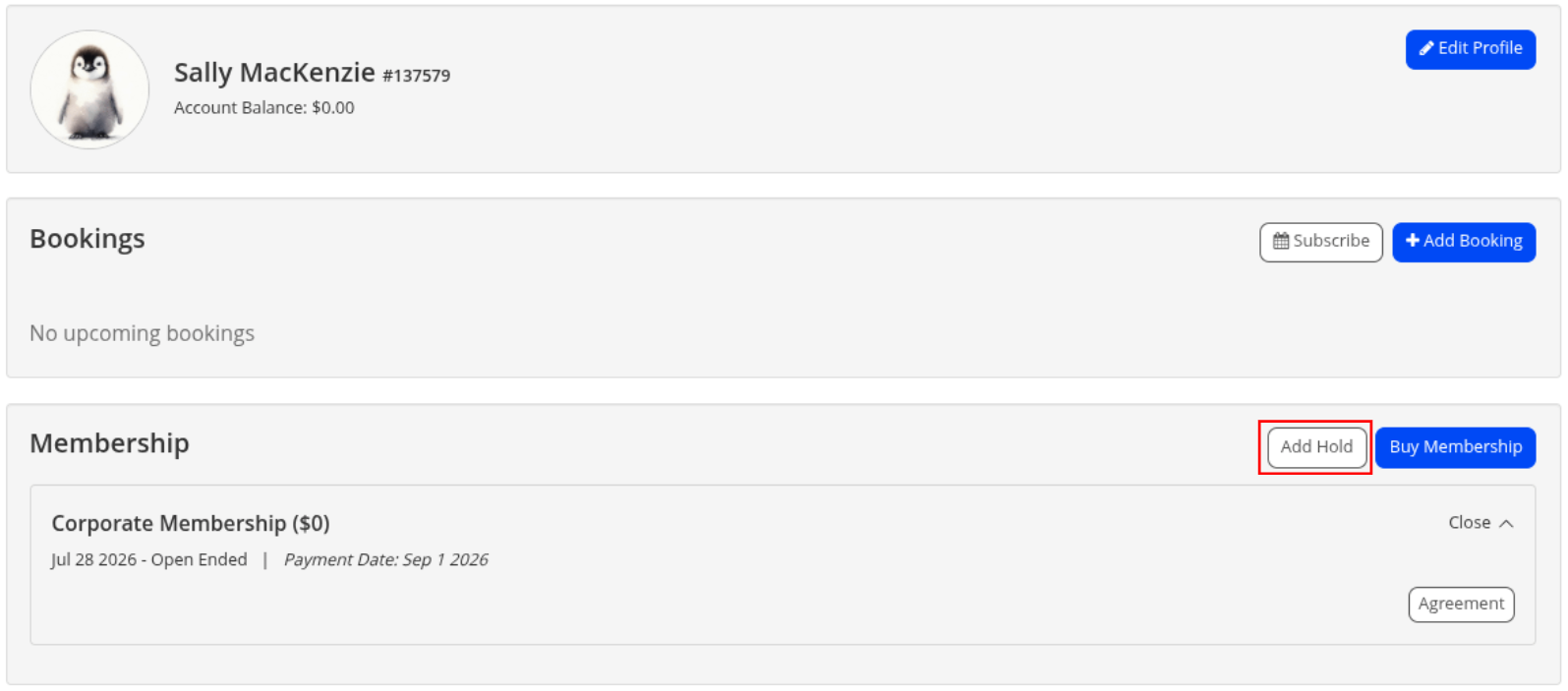
The member can then:
- Choose whether to place the selected membership or all active memberships on hold
- Select a reason for the hold
- Select the start and end dates
- Select Add Hold
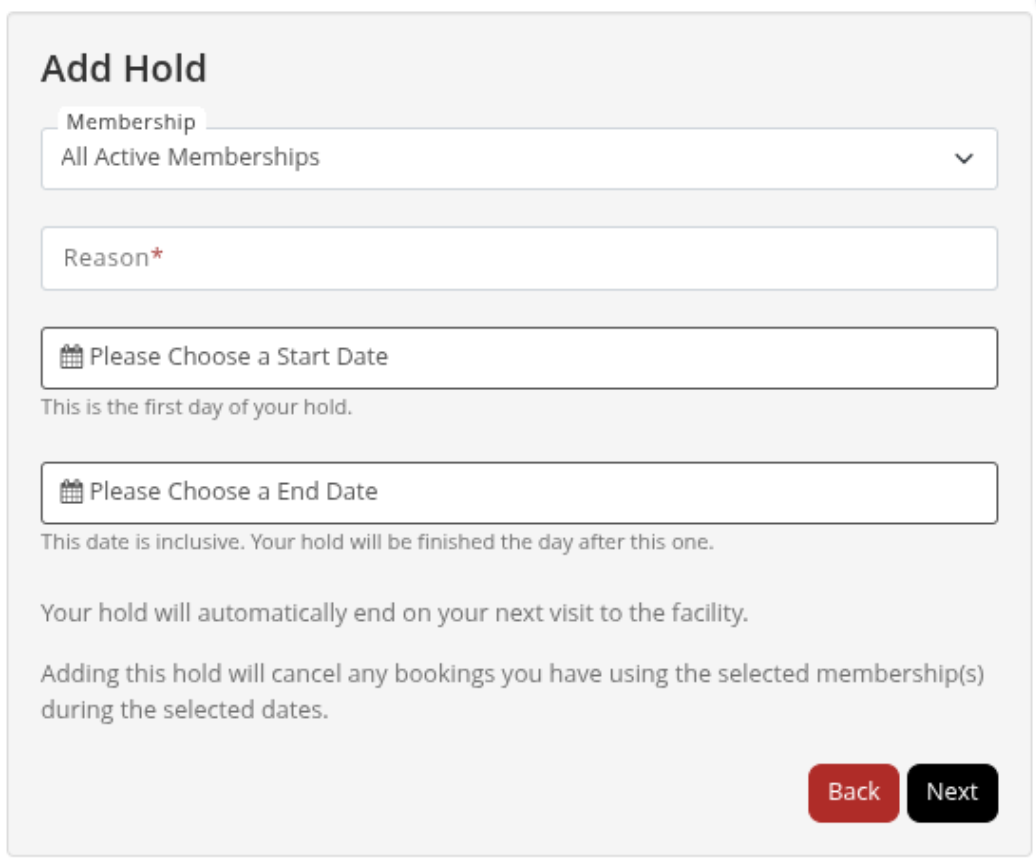
- If the club has selected Request Hold rather than Add Hold, the member submits the hold for staff approval instead.
- The hold will apply from the selected start date.
Note: The end date is inclusive. The date selected as the end date is the last day the hold is active.
To learn how staff can apply holds or to setup a mass hold, see Understanding Member Holds
Common Questions this Covers <common_questions>
- How do I allow members to place their own memberships on hold
- How do members place their membership on hold online
- Can members request a hold instead of adding one themselves
- How do I set a minimum hold duration
- How do I set a maximum hold duration
- How much notice must a member give before placing a hold
- Can members with an outstanding balance place their membership on hold
- Can members place all of their memberships on hold
- How do I charge members for online holds
- Can members use Online Holds through the Member App
</common_questions>

 2026 © Treshna Enterprises Ltd.