
Membership Contract Summary
1 min read
Updated
9 days ago
Your membership contract is the agreement between you and your member, outlining the key details of their membership.
This typically includes:
- Membership type
- Duration
- Fees
- Payment terms
GymMaster automatically creates a Membership Contract Summary for every membership, based on the settings in the membership type.
Members sign this during signup, and a copy is emailed to them straight after.
Customizing Your Contracts
By default, default contracts are generated automatically from membership settings.
If you’d like more control, you can switch to custom contracts:
- Go to: Settings > Advanced Configuration > Membership
- Disable Use static membership contract
Once disabled, you can create your own templates:
- Go to: Settings > Forms and Waivers > + Contract Summary
This lets you tailor contracts for different membership types.
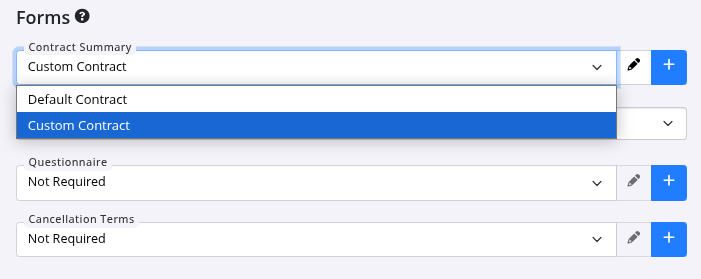
Attach custom contract to membership;
- Go to Settings > Membership Types > Membership
- Forms - Attach your custom contract here
Viewing a Member’s Contract
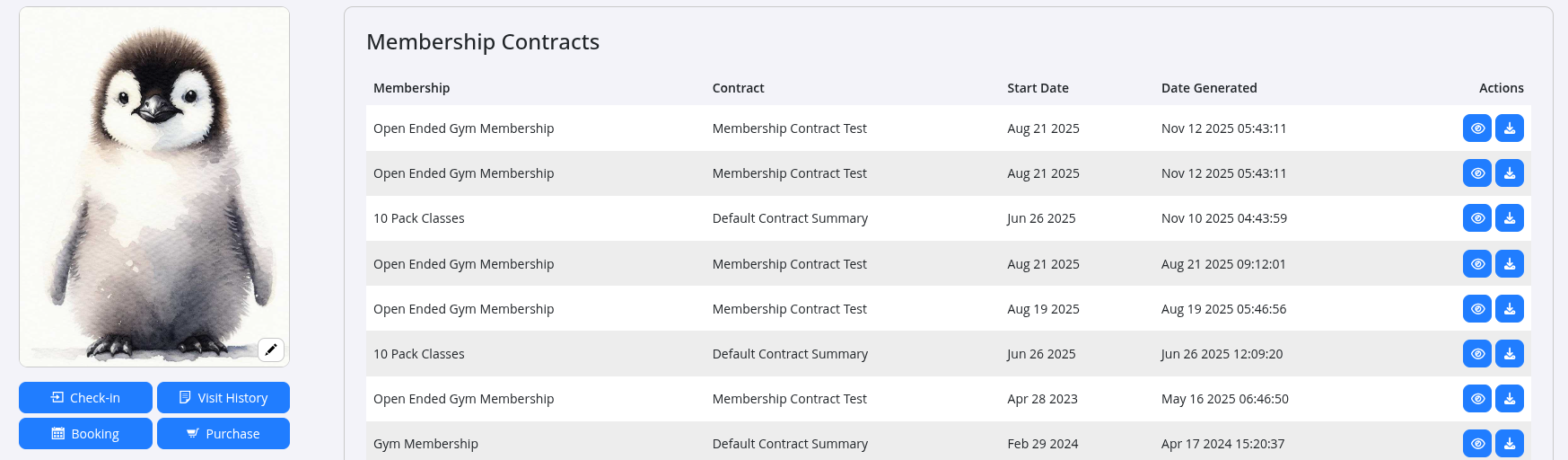
You can access a member’s contract anytime:
- Go to the Communication tab to view it in their history
- Select Contracts within the Communication tab
- Or head to Membership tab > Edit > Print New Contract
Common Questions this Covers
- How to create custom membership agreement or contract
- How to attach custom contract to membership
- How to view member contract or agreement

 2026 © Treshna Enterprises Ltd.