
Member Login
2 min read
Updated
13 days ago
Member having trouble logging in to the Member App? Here’s what to check;
First-time login
- Email = the email used during signup
- Password = the password they set at signup
If forgotten, ask them to tap Get My Login or Forgot Password? on the login screen and follow the prompts.
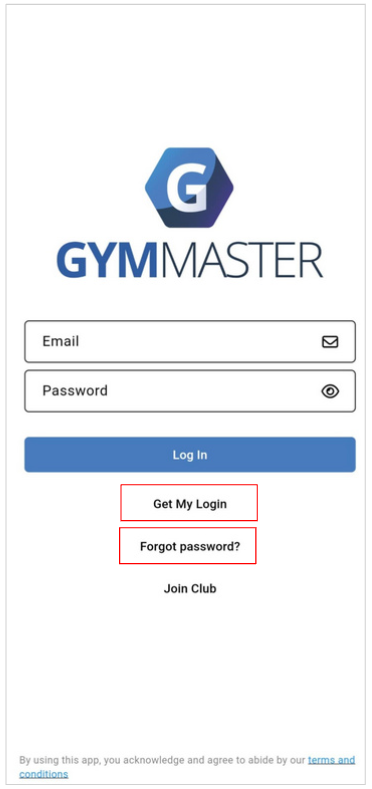
Using the right app?
- Members need the GymMaster Member App from the App Store or Google Play.
- It uses GymMaster branding, not your club’s, which can catch people out
Is your facility set up for the app?
- Head to Settings > Advanced Configuration > General and make sure mobile app access is enabled.
Recent changes not showing yet?
- Updates to the Member App or portal can take up to an hour to sync across all members.
Error: Account doesn’t exist
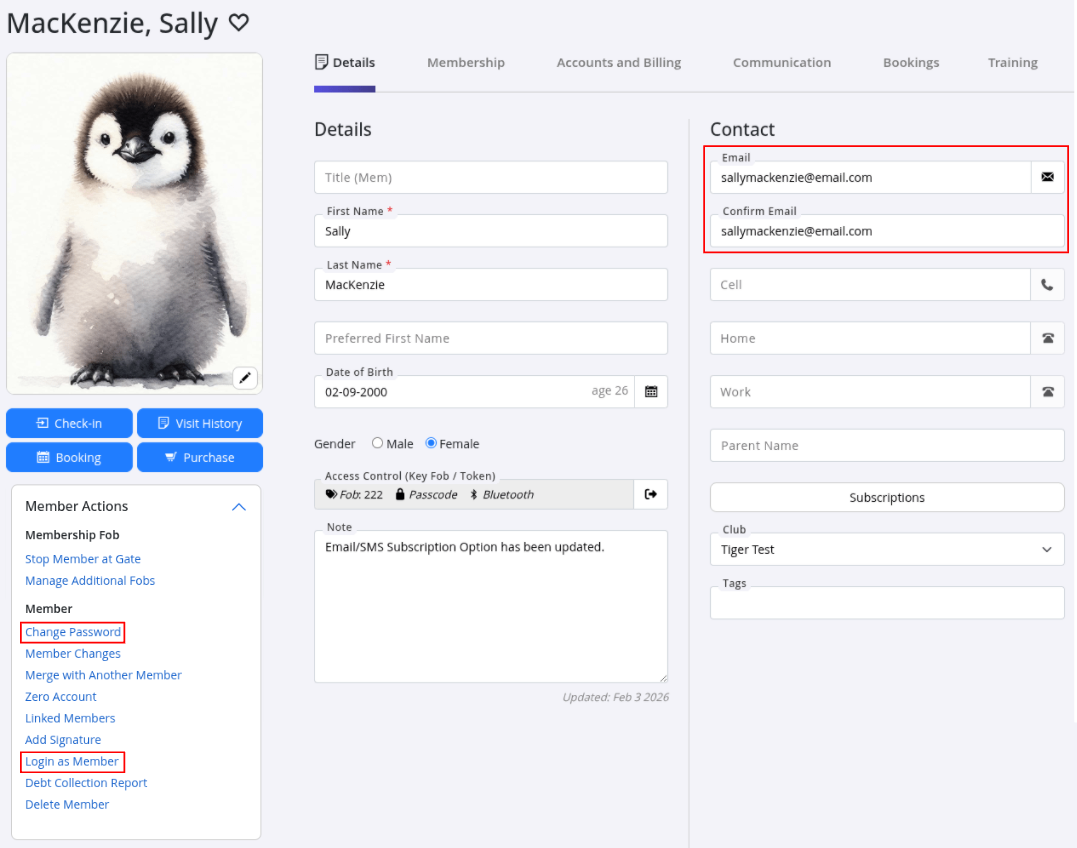
- Check the email matches what’s in GymMaster under Member Details > Details tab.
- Typos or old email addresses are the usual culprit.
Error: Invalid email or password
- Confirm the email is correct and matches their profile.
- Reset the password via Member Actions > Change Password if needed.
Error: Login disabled
- Online access may be turned off.
- Enable it via Member Portal Configuration > Member > Enable online login.
Too many failed attempts
- After several incorrect tries, login is locked for 20 minutes.
- Wait it out, then try again with the correct details.
Still Stuck?
Open their member profile within GymMaster;
- Double check the email in their profile matches their login email
- Reset their password manually: Change Password
- Log in as member to see exactly what they’re seeing: Login as Member
Common Questions this Covers
- Why can’t my member log in to the GymMaster Member App
- How do I check if the facility is set up correctly for the app
- Which app should my members download
- What should a first-time user do to log in
- How do I reset a member’s password
- Why isn’t the member’s email working for login
- How can I test if the login works correctly
- What if the member keeps getting login errors
Get started with a free, no-obligation chat, and see how we can help you grow

Awards and recognition
- Deloitte Master of Growth Index 2025
- Deloitte Master of Growth Index 2024
- Software Advice FrontRunners 2023
- GetApp Category Leaders 2023
- Capterra Best Value 2022
- GetApp Best Functionality & Features 2022
- Software Advice Most Recommended 2022
- SoftwareSuggest User Most Likely to Recommend Summer 2022
- Software Advice Best Customer Support 2021
- Deloitte Technology Fast 500 Asia Pacific 2018
 2026 © Treshna Enterprises Ltd.