
Member Access to Portal and App
Once setup and enable, members can access the Member Portal either through your website or via the Member App on their smartphone or tablet. Using the Member Portal / App Members will be able to access their accounts, book classes and services, purchase memberships and stay updated.
Member Portal Access
To enable portal access, navigate to Settings > Member Portal Configuration > Member and turn on Enable Online Login.
From here, you can fine-tune how access works. For example, you can limit portal access to current members only.
Members who sign up online set their password during sign-up. Members added by staff use the Forgot Password link to create their first password.
This is also where you control what members can see and do in the portal, using the options available in Member Portal Configuration.
Note member must have correct email to login; this is their username.
Member App Access
To allow your members access to the Member App, go to Settings > Advanced Configuration > General > Enable Mobile App Access for Members.
This setting allows members to log into the Member Portal via the Member App.
Note: It may take up to an hour for access to sync across all member accounts.
Download Member App
Members can download the GymMaster Member Portal App from:
Direct download links are also available on the Member Sign Up / Login page
First-Time Login
Once a member signs up (online or in person), they can log in immediately. via a web browser on your website, or through the member app using their phone or tablet.
Login Details
- Email: Members sign in using the email address used when signing up for their membership.
- Password: This is set during sign-up for their membership.
If forgotten, members can reset their password using Forgot Password.
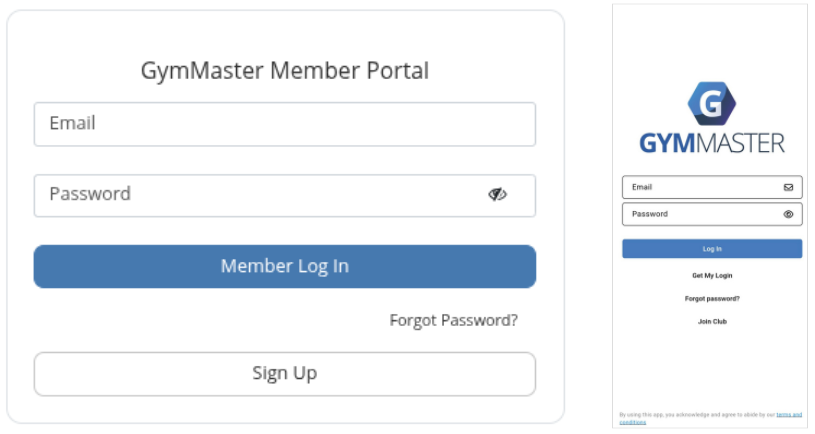
Members can now access their accounts, book classes and services, purchase memberships and stay updated via the app.
Note, to receive push notifications, members must enable notifications for the GymMaster App in their device settings.
Login FAQs
Note: Changes to Member App settings can take up to one hour to sync across all members.
Below are the most common login errors and questions, and how to resolve them.
How can we prevent members sharing bluetooth access:
- To prevent members from sharing access across multiple devices, a device limit can be configured at Settings > Advanced Configuration > General > Maximum number of authorized member app devices. This setting restricts Bluetooth access to the specified number of devices per member
- If the limit is set to 1, the first device used to access Bluetooth will be registered as the authorised device
- The Member device reset limit option allows members to change their authorised device within a defined timeframe. This supports legitimate device changes (for example, when a member gets a new phone) while preventing frequent switching or access sharing across multiple devices
- To view or manage devices associated with a member account, go to Member Page > Details tab > Manage Devices. Staff can remove previously authorised devices here to allow a member to register a new device if required
Error – Account Doesn’t Exist:
- Confirm the member is using the email address linked to their GymMaster profile, view under Member Page > Details tab
- Check for spelling errors or outdated email addresses. Update email address if required
Error – Invalid Email or Password:
- Verify the email matches the one on the member’s profile; Member Page > Details tab
- If needed, reset the password via Member Page > Member Actions > Change Password
- To rule out user error, you can log in on their behalf using Member Page > Member Actions > Login as Member
Error – Login Disabled:
- Online access may be turned off. Enable it under Settings > Member Portal Configuration > Member > Enable Online Login.
Error – Too Many Failed Attempts:
- After multiple failed attempts, the member must wait 20 minutes before trying again
First-Time App Login:
- Ask the member to tap Get My Login on the app login screen
- They’ll enter the email used at sign-up and receive an email to set their password and log in
Correct App Downloaded?:
- Ensure the member has installed the GymMaster Member App
- The app uses GymMaster’s default name and logo, which may differ from your club branding and can cause confusion

 2026 © Treshna Enterprises Ltd.