
Manual Billing
Using the Manual Billing Only option stops all automatic billing across your club.
This setting is usually turned on by the GymMaster team if:
- You’ve just had a data transfer, or
- You’re setting up a new integrated billing provider
It gives you time to review upcoming charges before letting GymMaster handle billing automatically.
Enable Manual Billing
This setting is found under Settings > Financial Configuration > Billing Settings > Billing Process Options.
From there, toggle between ‘Manual’ and ‘Automatic’ as needed.
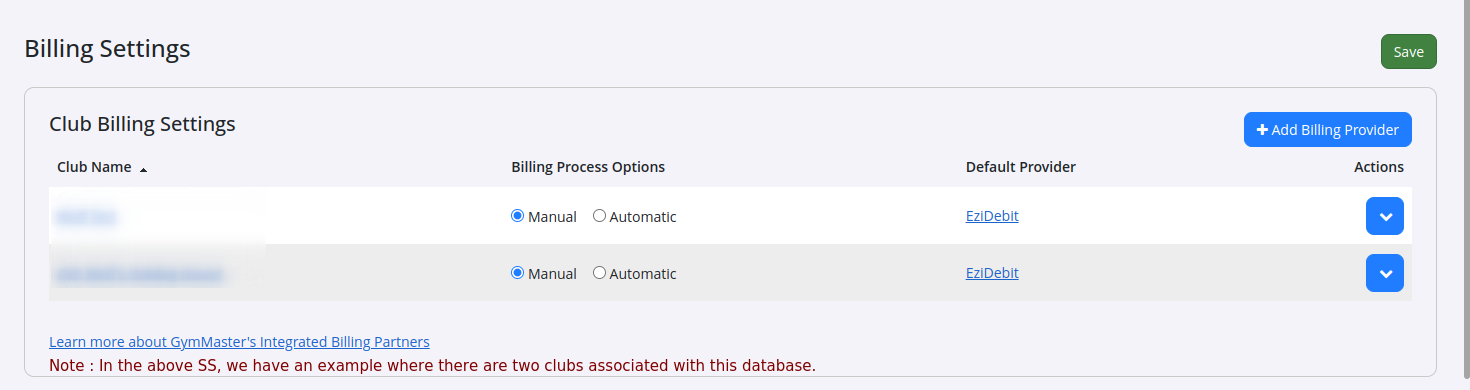
- Some clubs choose to stick with manual billing long term. This usually involves some custom setup and is arranged directly with their local bank, if supported
- With this setup, billing is mostly spreadsheet-based, you’ll be sending data files back and forth with the bank to show what’s been billed and when payments have been made
Run Manual Billing
To run manual billing, go to Report & Till > Billing > Manual Billing
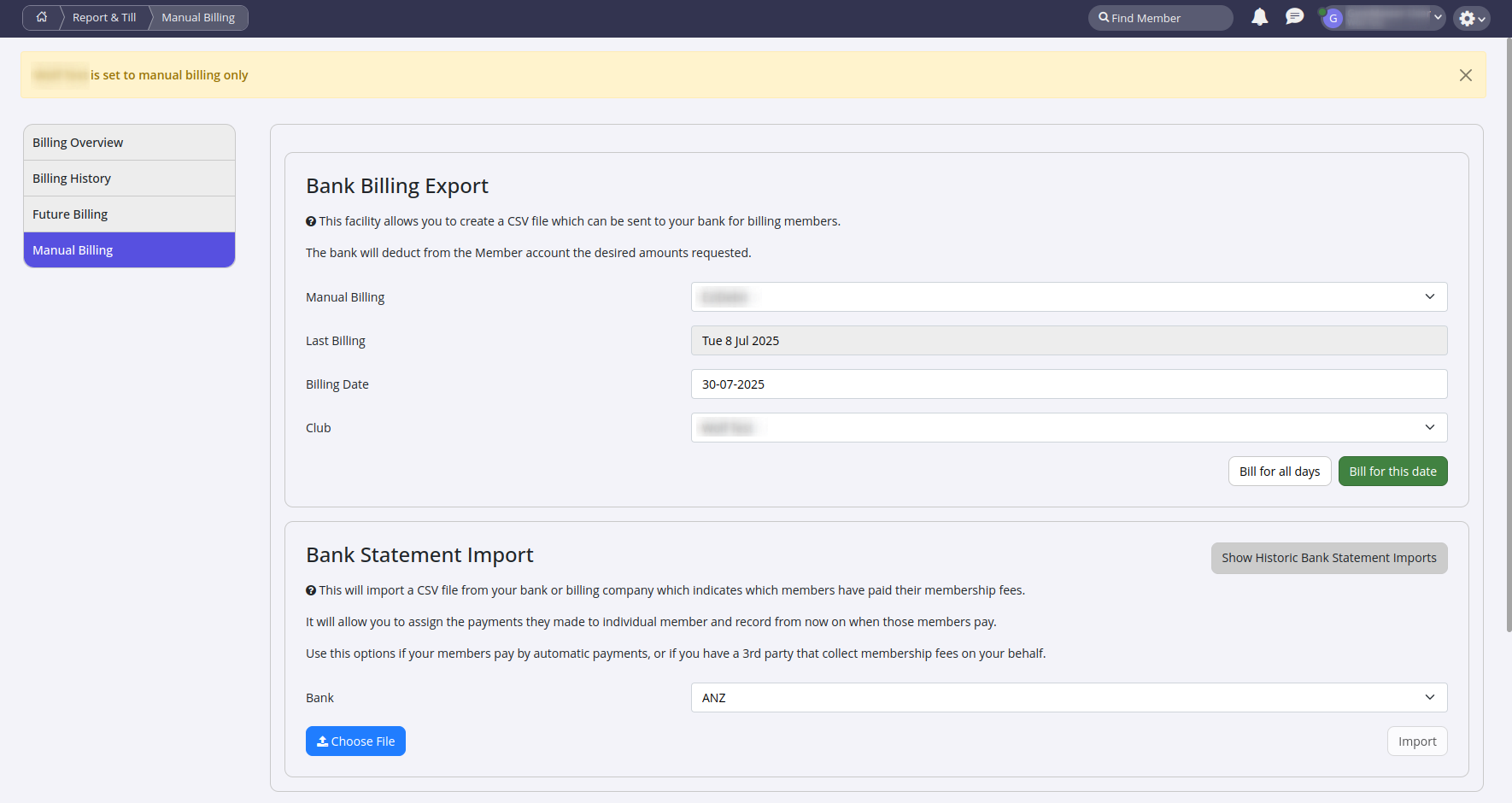
- When running manual billing, select your integrated billing provider and choose the billing date
- If you pick Bill for this date, only charges scheduled for that specific day will be billed
- If you choose Bill for all days, GymMaster will send all unpaid charges up to and including that date, including charges for expired members
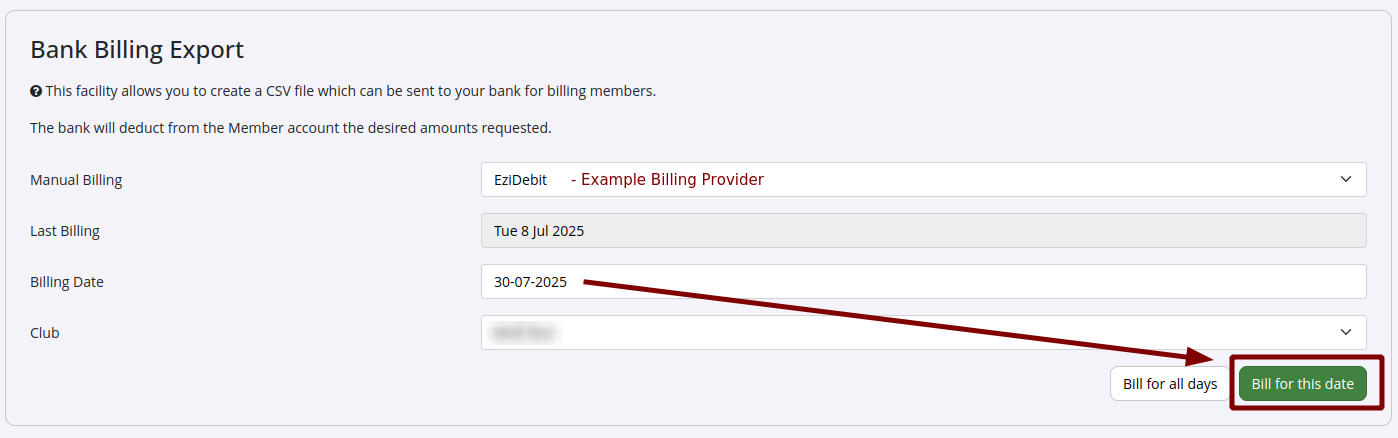
When you choose Bill for this date or Bill for all days, you’ll get a preview showing who will be billed and how much.
- You can click the column headers to sort the list. For example, click Amount to sort by charge size, highest to lowest. Click it again to reverse the order
- If you don’t want to include a charge in this billing batch, just uncheck the Export box next to it. That charge won’t be sent now, it’ll simply stay on the member’s account for next time
- When you’re happy with the preview, click Submit Changes, then hit Send Billing to process the batch
- To keep an eye on the batch you just sent, go to Report & Till > Billing > Billing History
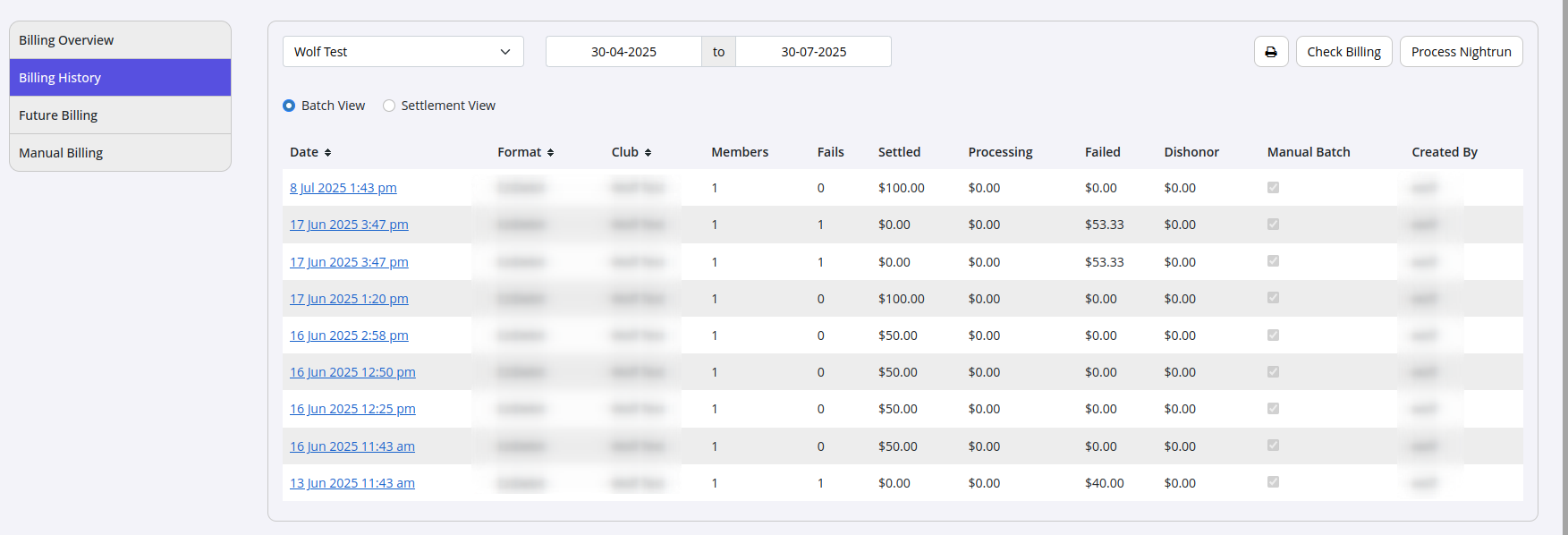
Over time, you can come back to this page and refresh. You’ll see the amount processing go down, and the amount settled go up.
Failures usually show up before successful transactions, so don’t worry if a few charges fail at first.
If you want details on individual charges or why some failed, click the Date link to view.
Further Questions? See our list of Frequently Asked Questions about Billing
Common Questions this Covers
- How to stop billing
- How to prevent billing going out
- How to handle manual billing

 2026 © Treshna Enterprises Ltd.
