
Individual Communication
Send a one-off message to a single member, use GymMaster Chat, or create a task to prompt staff communication.
One Way Communication
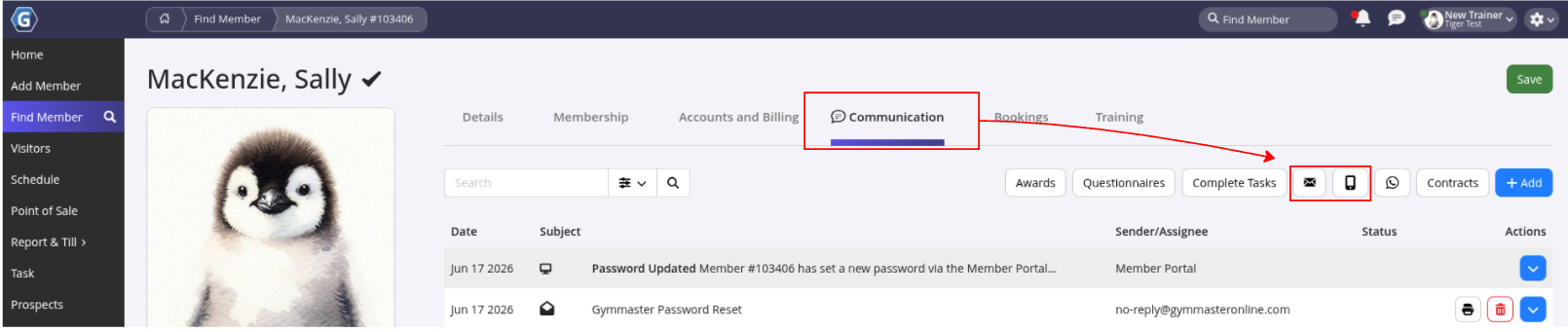
Go to Find Member > Member Details > Communication tab
- Select Send Email or Send SMS
- Write your message
- Click Send
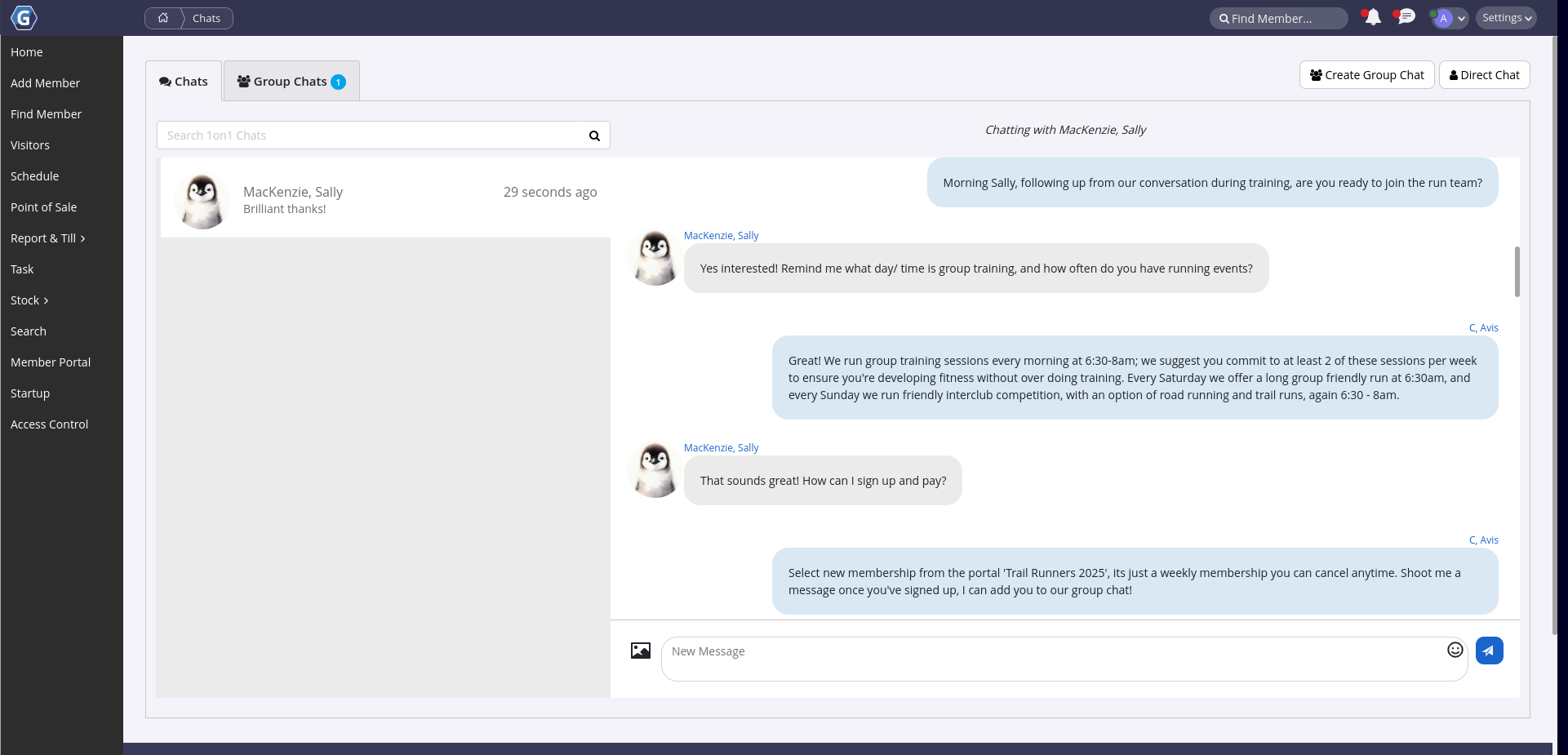
GymMaster Chat
Full guide: Simplify Communication with Member App Chat Messaging
GymMaster Chat allows one-way or two-way chat communication between staff and members.
Members receive chats as notifications through their Member App.
Communication Tasks
When communication with members requires follow-up or staff action, a task can be created for tracking and accountability.
Tasks can be created by staff to remind themselves to follow up with a member or delegate communication to another staff member. Communication tasks can also be generated automatically by GymMaster based on system triggers.
Staff-Created Communication Task
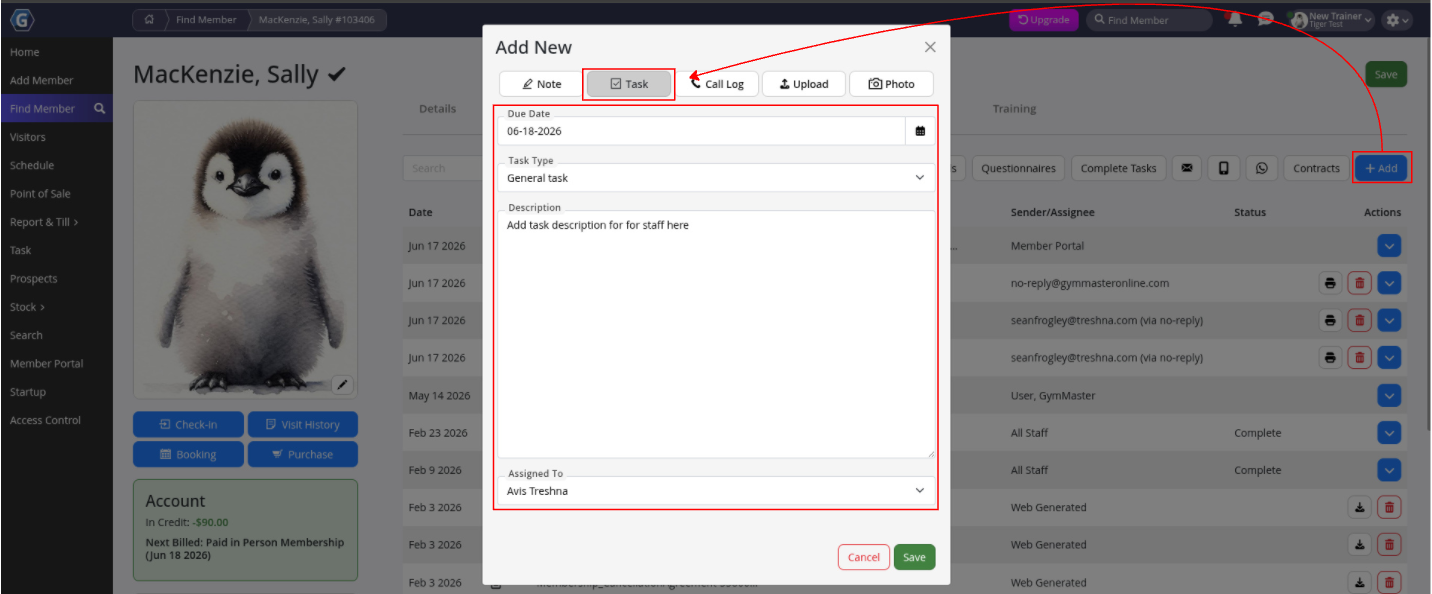
Go to Member Details > Communication Tab
- Click + Add
- Select Add Task
- Complete task details
- Use General Task when no predefined task type exists
- Assign the task to a staff member
- Click Save
Assigned staff tasks can be viewed under Tasks.
System-Created Communication Task
Full guide: Add a Task
GymMaster can automatically generate staff communication tasks based on defined triggers.
To create a system-generated communication task:
- Select Staff Action Required
- Add a clear task Description for staff
- Select a member event as the Trigger
- Nominate a Performer
- Select the staff notification method, such as Email or Mobile Notification
Assigned staff tasks can be viewed under Tasks.
Common Questions this Covers
- How do I send an email to a member
- How do I send an SMS to a member
- How do I contact a member
- Is there an an app messaging feature
- How do I create a communication task for a staff member
- How do I assign a member follow-up task to staff
- How do I automate staff communication tasks
Get started with a free, no-obligation chat, and see how we can help you grow

Awards and recognition
- Deloitte Master of Growth Index 2025
- Deloitte Master of Growth Index 2024
- Software Advice FrontRunners 2023
- GetApp Category Leaders 2023
- Capterra Best Value 2022
- GetApp Best Functionality & Features 2022
- Software Advice Most Recommended 2022
- SoftwareSuggest User Most Likely to Recommend Summer 2022
- Software Advice Best Customer Support 2021
- Deloitte Technology Fast 500 Asia Pacific 2018
 2026 © Treshna Enterprises Ltd.