
How to Use Debt Collection Reporting
1 min read
Updated
3 months ago
Debt Collection is a reporting tool that allows you to quickly identify members who have failed payments, and members who are not being charged (for example, if they have not entered billing details). You can export the required data as a CSV to pass on to your preferred debt collection agency.
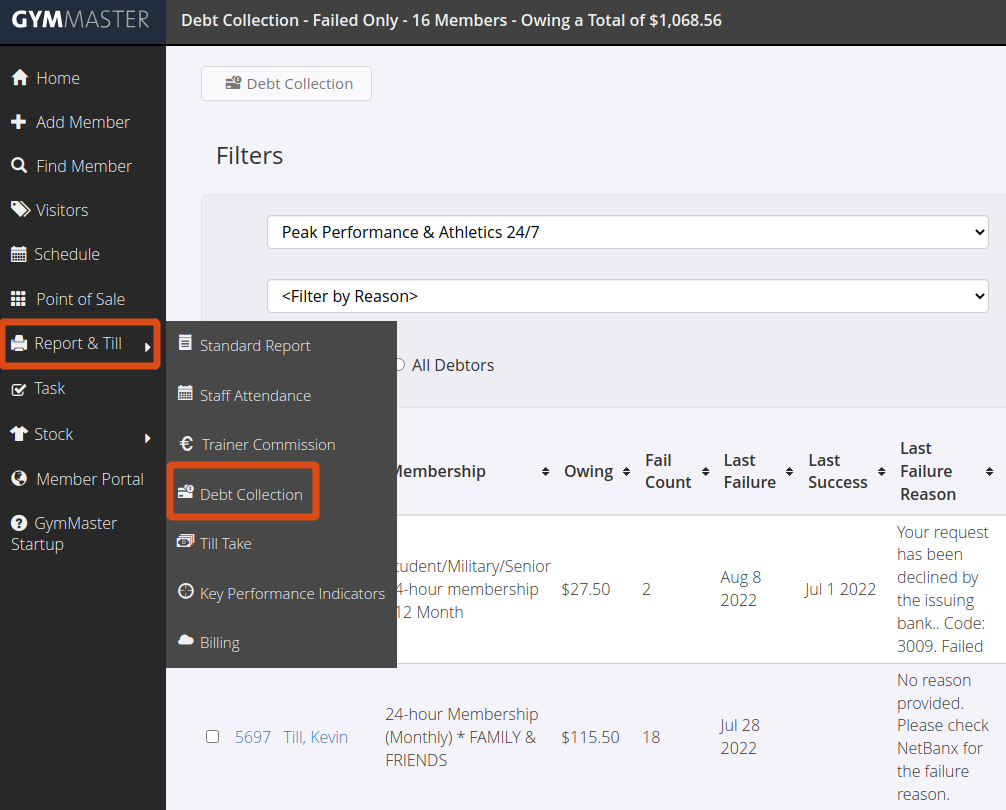
To find the Debt Collection reports:
- Go to Report & Till
- Select Debt Collection
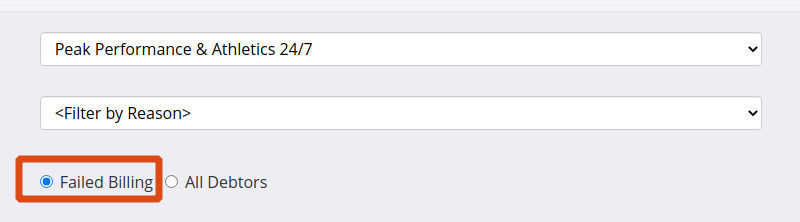
- To see members who are in debt due to failed billing, make sure the radio button is set to ‘Failed Billing’. This is the default.
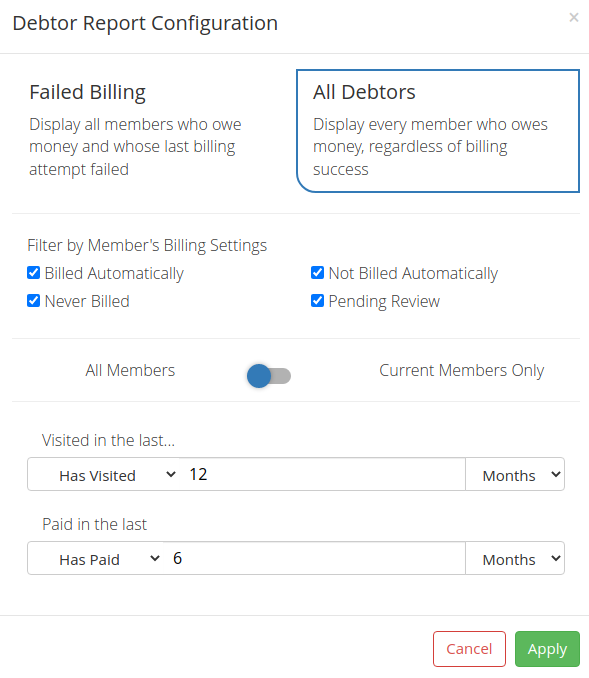
- To drill into the data further, select View Filters. From here, you can see debtors who are owing for any reason, including paid in person members. You can also filter by visitation and payment status

- You can sort the report by any of the columns, for example by last payment. Click once to order from lowest to highest, and click again to order from highest to lowest

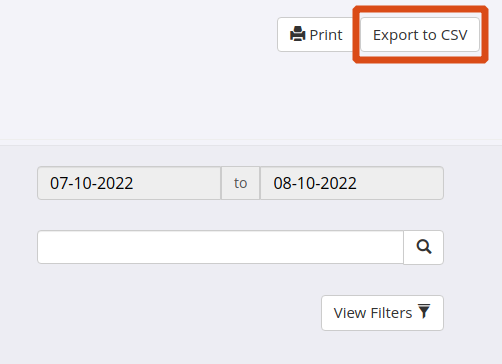
- When you have the data you need, you can export it to a CSV file
To see more financial reports, navigate to Report & Till > Standard Report > Financial. You can customize these reports to suit your business needs.
Get started with a free, no-obligation chat, and see how we can help you grow

Awards and recognition
- Deloitte Master of Growth Index 2025
- Deloitte Master of Growth Index 2024
- Software Advice FrontRunners 2023
- GetApp Category Leaders 2023
- Capterra Best Value 2022
- GetApp Best Functionality & Features 2022
- Software Advice Most Recommended 2022
- SoftwareSuggest User Most Likely to Recommend Summer 2022
- Software Advice Best Customer Support 2021
- Deloitte Technology Fast 500 Asia Pacific 2018
 2026 © Treshna Enterprises Ltd.