
Change Schedule Booking Intervals
The Schedule is divided into booking intervals, which determine how often bookings can begin throughout the day.
Booking intervals control when bookings can start, not how long they last. Booking duration is configured separately within each service or class.
By default, GymMaster uses 30-minute intervals, but these can be adjusted to suit your club’s booking requirements.
For example:
- If your club offers 15-minute consultations, 45-minute appointments, and 1-hour services
- Setting the Schedule interval to 15 minutes allows bookings to begin every 15 minutes
- Different intervals can be configured for different resource categories, depending on how each area is used
Adjusting your booking intervals can also make it easier to view and manage a busy Schedule.
Change Intervals
Choose the interval that matches the smallest booking start time you want to offer.
Using a shorter interval provides greater scheduling flexibility, but can also create a more crowded Schedule view.
Begin at either:
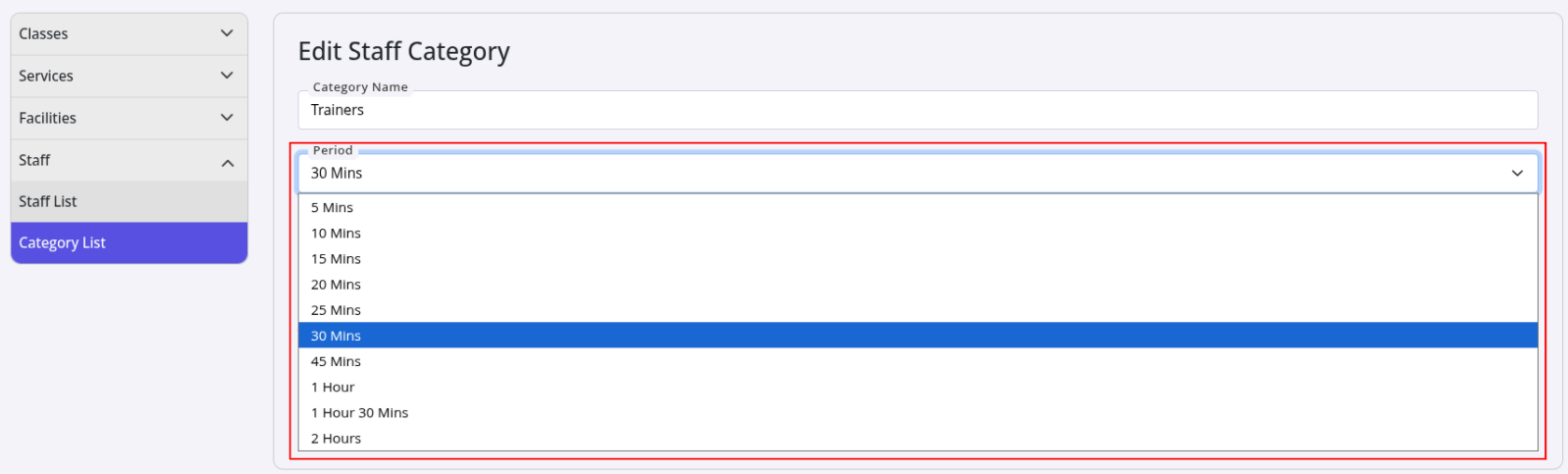
- Settings > Bookings and Classes > Facilities > Category List
- Settings > Bookings and Classes > Staff > Category List
Then:
- Select Edit beside the category you want to update
- Adjust the Period length
- Select Save
The new interval will apply to all facilities or staff members within that category.
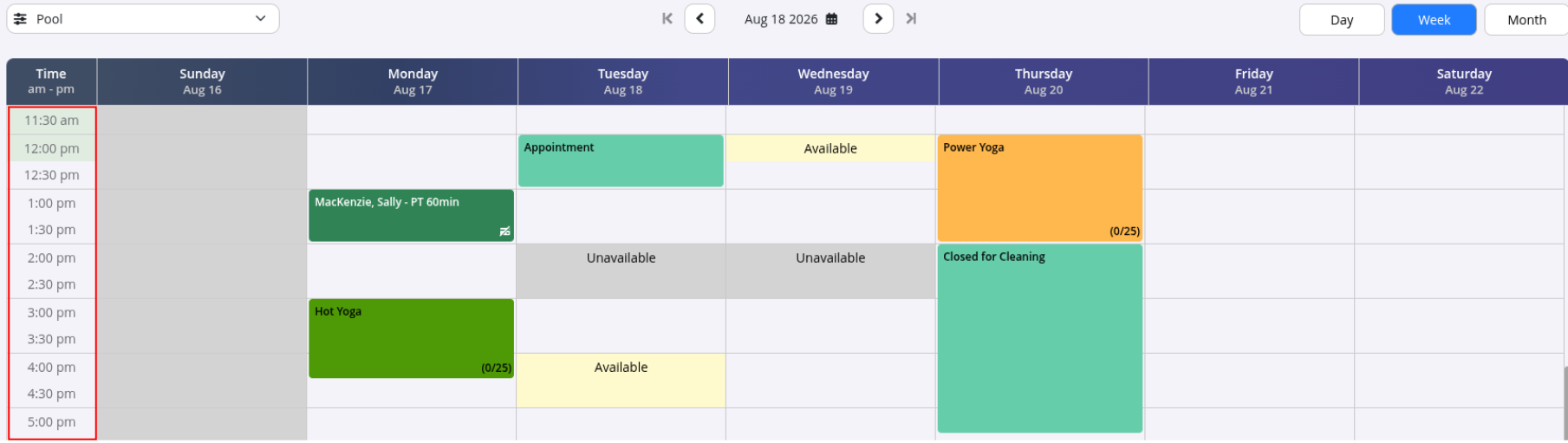
Example: 30-minute booking intervals;
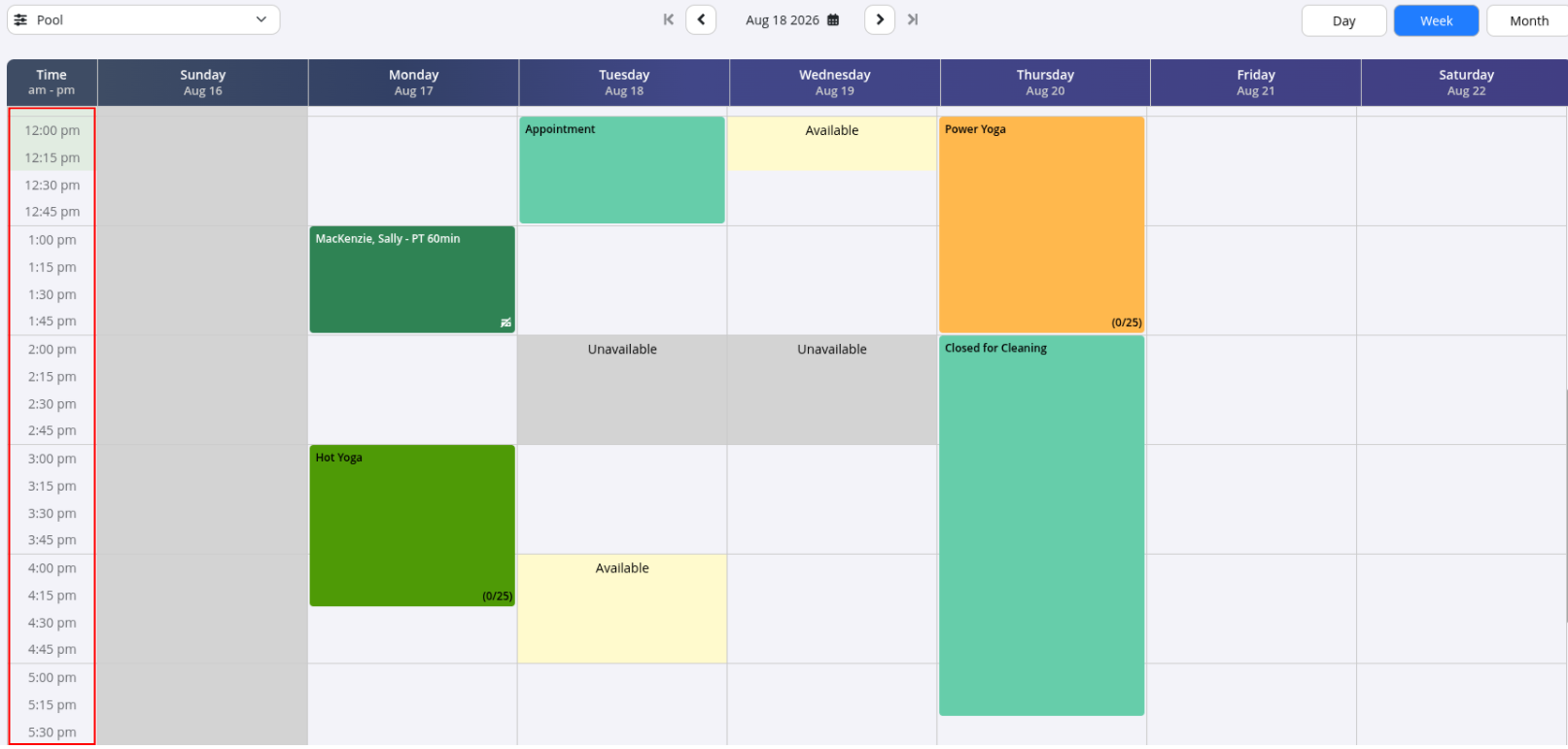
Example: 15-minute booking intervals;
Common Questions this Covers
- How do I change Schedule time periods in GymMaster
- How do I allow bookings every 15 minutes
- How do I change booking timeslots
- How do I make bookings start every 5 minutes
- Why does my Schedule only show 30-minute blocks
- How do I change booking periods
- How do I customise Schedule timeslots
- Does the booking interval change booking duration
- How do I change the Schedule grid
- How do I make my Schedule more flexible
Get started with a free, no-obligation chat, and see how we can help you grow

Awards and recognition
- Deloitte Master of Growth Index 2025
- Deloitte Master of Growth Index 2024
- Software Advice FrontRunners 2023
- GetApp Category Leaders 2023
- Capterra Best Value 2022
- GetApp Best Functionality & Features 2022
- Software Advice Most Recommended 2022
- SoftwareSuggest User Most Likely to Recommend Summer 2022
- Software Advice Best Customer Support 2021
- Deloitte Technology Fast 500 Asia Pacific 2018
 2026 © Treshna Enterprises Ltd.