
Find Members and Prospects
2 min read
Updated
29 days ago
Every member and prospect in GymMaster, past or present, can be found using the Find Member page.
Use simple filters or search directly with known details. It’s quick to narrow in on the right person when you need them.
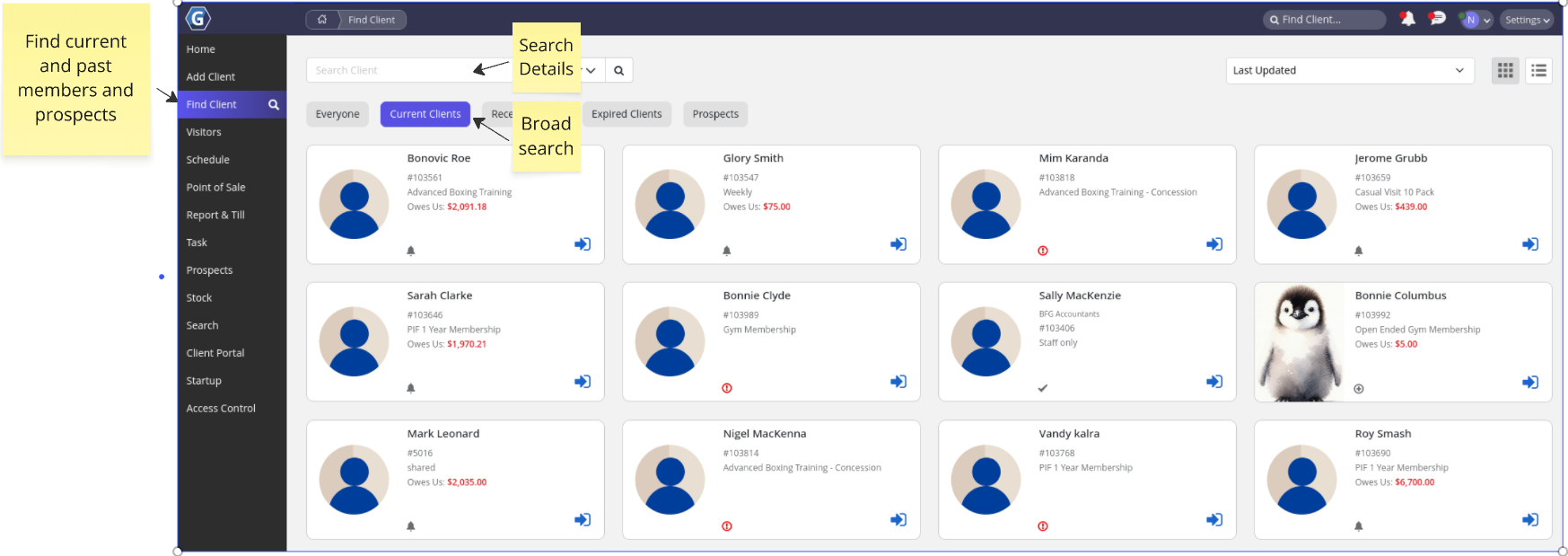
Active members display in color. Prospects and casual members appear in greyscale for easy visual reference.
General Search
Choose who you want to search within:
- Everyone: All members and prospects in your database
- Current Members: Active full members (excluding casuals if applicable)
- Expired Members: Cancelled or former members
- Recent Visitors: Members who have recently attended or attempted access
- Prospects: People who have not yet joined as members
Search Details
Search directly using known information:
- First name
- Last name
- Email address
- Phone number
- Membership number
Refined Search
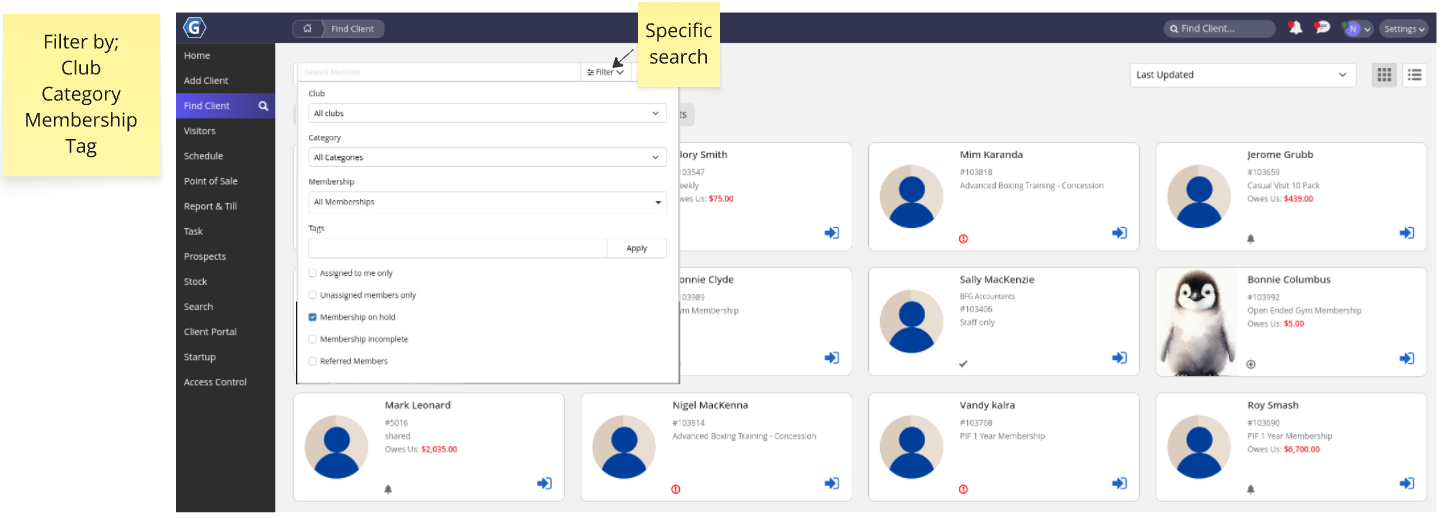
Need to narrow things down further? Use the filter dropdown in the top right, next to the Search button.
You can filter by:
- Club location: Useful for multi-site setups
- Member category: Segment by custom categories
- Membership type: Find members on a specific plan
Common Questions this Covers
- How do I find a member in GymMaster quickly
- How do I search for prospects or expired members
- Why can’t I find a member using the search function
- How do I filter members by membership type or category
- How do I use the Find Member page effectively
Get started with a free, no-obligation chat, and see how we can help you grow

Awards and recognition
- Deloitte Master of Growth Index 2025
- Deloitte Master of Growth Index 2024
- Software Advice FrontRunners 2023
- GetApp Category Leaders 2023
- Capterra Best Value 2022
- GetApp Best Functionality & Features 2022
- Software Advice Most Recommended 2022
- SoftwareSuggest User Most Likely to Recommend Summer 2022
- Software Advice Best Customer Support 2021
- Deloitte Technology Fast 500 Asia Pacific 2018
 2026 © Treshna Enterprises Ltd.