
Add a New Member
2 min read
Updated
29 days ago
There are three main ways new members are added to your system;
Add Member Manually
A new face walks in, ready to join your club. Here’s how to sign them up.
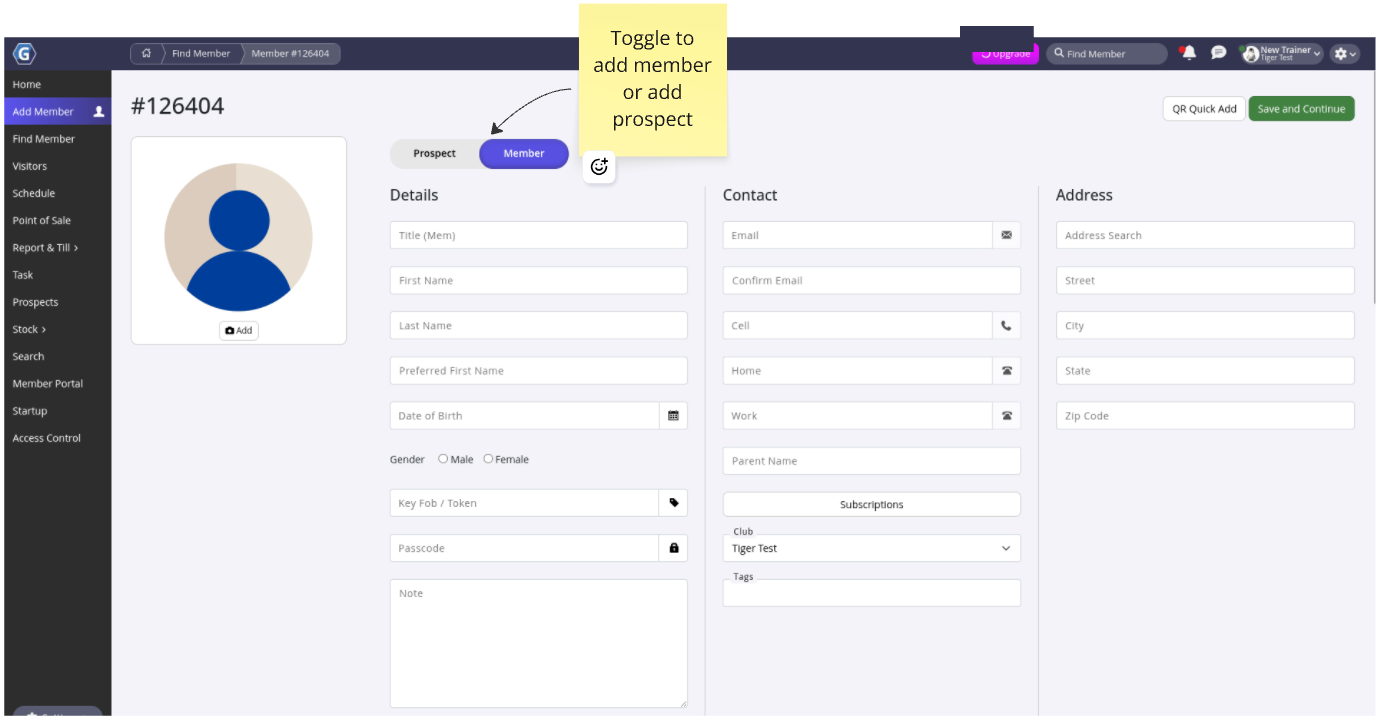
Navigate to: Add Member
Enter Details
- Complete details for members, as required by your club
- Once complete, go to Save and Continue to add membership
Add Membership (if applicable)
- Complete selection details for membership
- Click Save Membership when complete
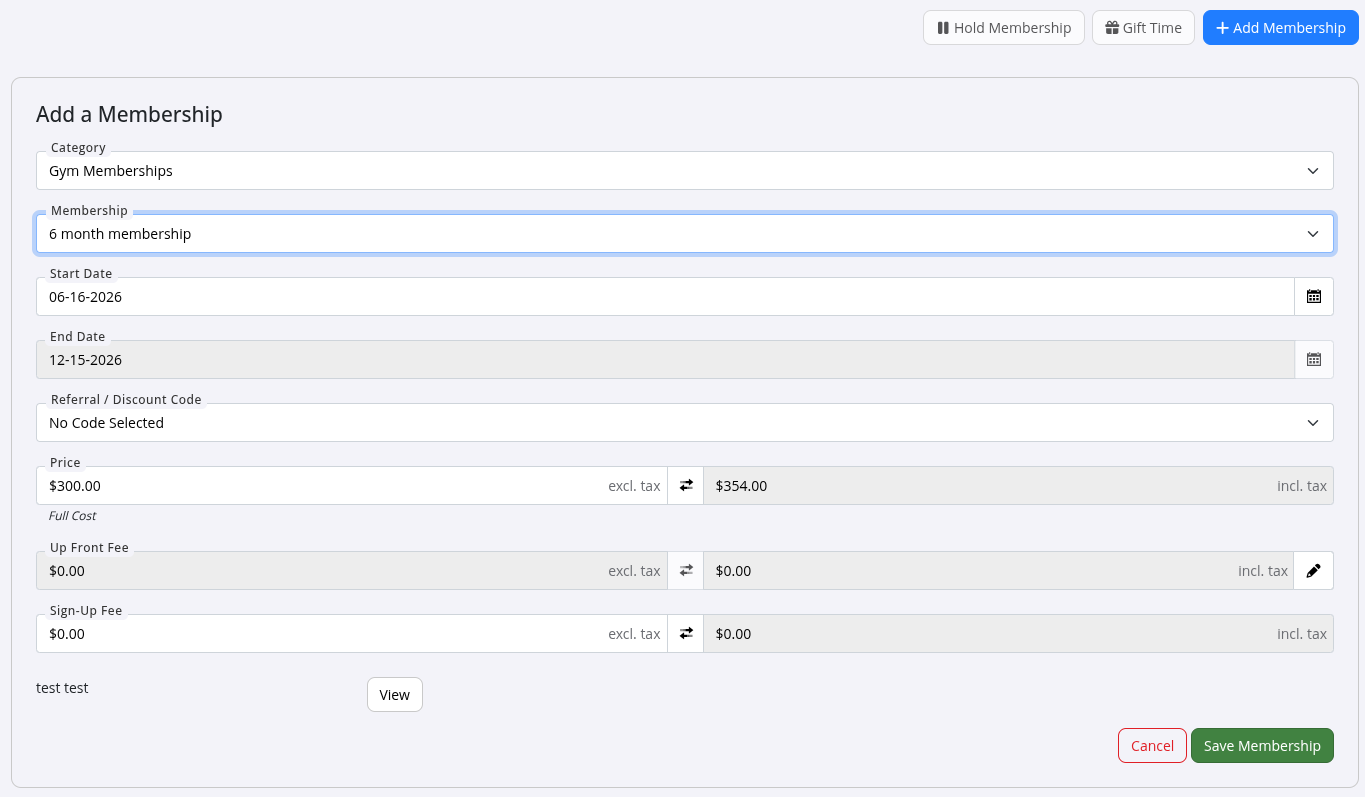
- If this is a Paid in Full membership,you’ll be taken to Point of Sale to complete purchase.
- If this membership required ongoing payments, continue to Billing
Setup Billing
- Choose how your new member will be billed:
| Billing Options | Comment |
|---|---|
| Bill Automatically | Recommended in most clubs. Once set, billing will occur automatically, based on the payment details within the Membership selected. |
| Don’t Bill Automatically | Use when billing member manually |
| Never Bill | Use for in-person payments only |
Add payment details:
- Credit/debit card
- Bank account
- Stored card (via provider)
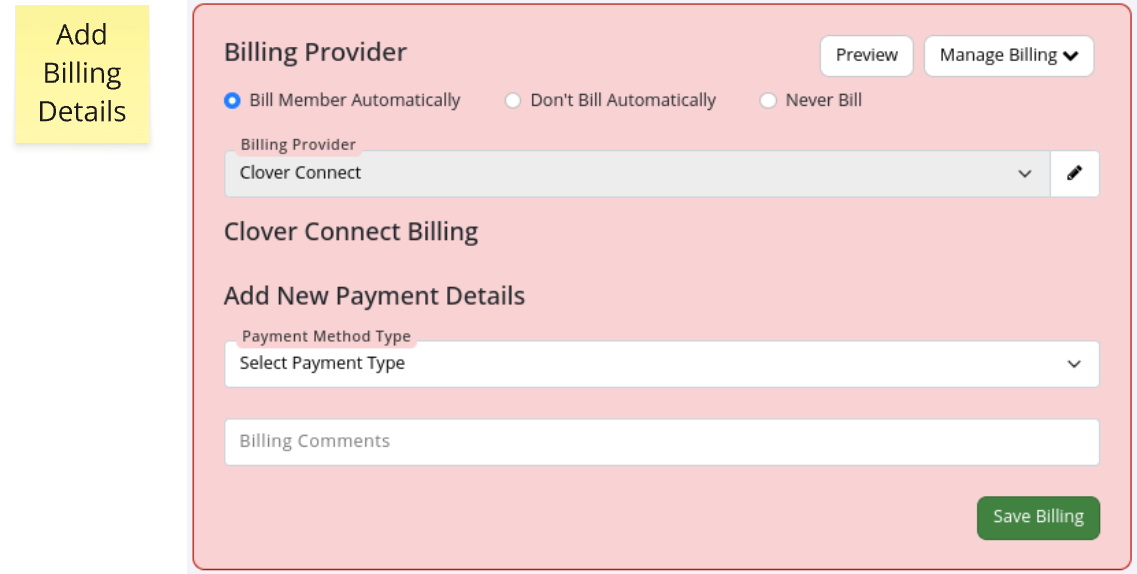
- Click Save Billing to complete process. Your member is now signed up, with membership and billing set, and ready to go!
- Assign them their access method and they can come and go within their membership door access benefits
Self Serve Member Registration
Let members join on the spot by setting up a tablet or kiosk at your front desk.
- Go to Member Portal in the left menu
- Select Signup
- Copy the Signup URL (it will look like
https://YourGymName.gymmasteronline.com/portal/signup) - Open the link on your tablet or kiosk for members to use directly
They will be taken through the online sign-up process via the Member Portal; Add Details, Select Membership, Terms and Conditions, Complete Billing
Member Signs Up Online
See full guide for Selling Memberships Online.
Common Questions this Covers
- How do I add a new member manually
- How can members sign themselves up
- Can I set up a tablet for self-signup
- Where do I find the signup link for new members
- What happens after a member is added manually

 2026 © Treshna Enterprises Ltd.