
Navigating the Dashboard
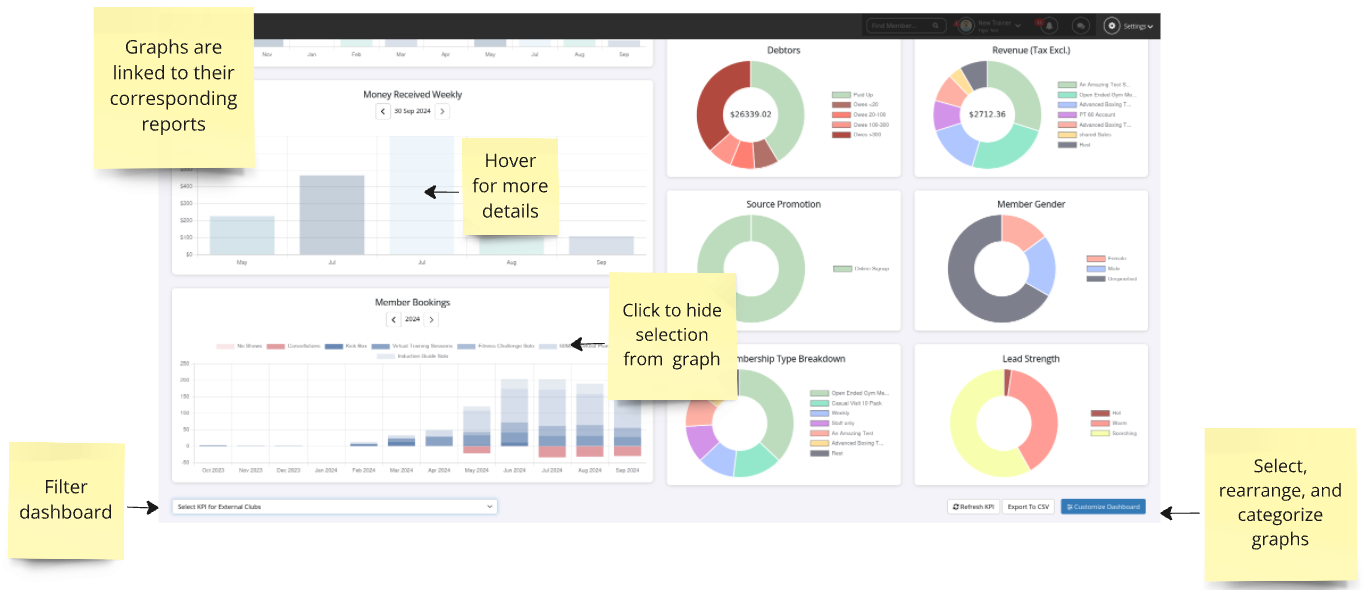
The Home dashboard gives you a real-time, visual snapshot of your club’s performance.
From member activity and billing summaries to daily bookings and system alerts, it displays your key metrics in a clear, intuitive format — making it easy to stay on top of what matters most.
What shows on the dashboard is customisable per staff member, so everyone gets a view that fits what they need, not a one-size-fits-all setup.
Dashboard Tabs
Your dashboard comes with multiple customisable tabs, so you can set things up in a way that makes sense for how your club runs.

Graphs and Widgets
Hover over any value on a widget or graph to see more details, including what the metric is and what the number means.
Many Dashboard cards are clickable and will take you directly to the related report.
For example, clicking the Current Members card opens the Current Members Report, showing a full list of current members and their membership details.
Gymmy AI Assistant
Gymmy Assistant can answer questions using real-time data from GymMaster’s internal reporting system to help with questions like:
- Who currently owes money?
- How many new members have joined this year?
- Who’s visited the most this month?
- Which staff member ran the most services?
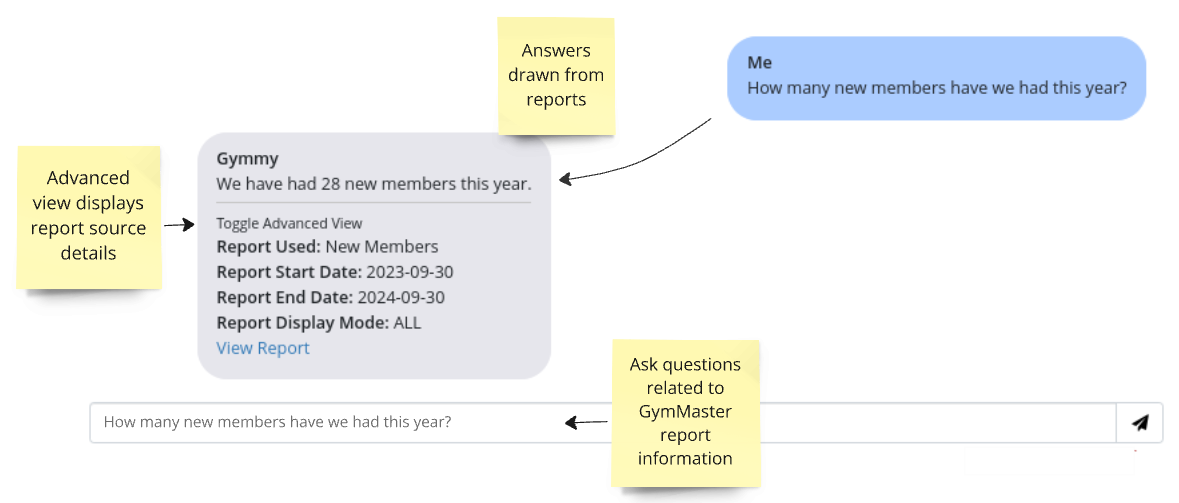
Note: As with any AI, Gymmy may misinterpret complex questions. For best results, keep questions clear and simple. Try rephrasing if needed.
Weekly Schedule
The Weekly Schedule card gives you a quick snapshot of upcoming classes and bookings for the week.
Click any day to view that day’s schedule — including class names, booking numbers, and staff assigned.
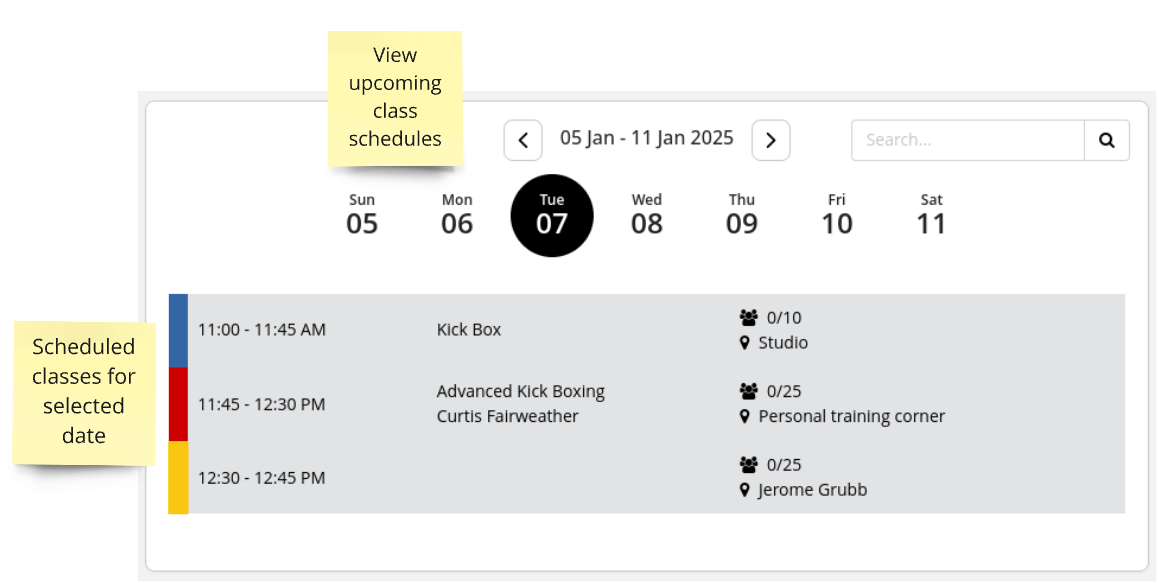
For full access to your calendar, including advanced booking tools and customization options, visit the Schedule.
Prospect Funnel
Your Dashboard includes a visual of the Prospect Funnel, tracking how leads progress through each stage of your sales pipeline over time.
Click on any stage of the funnel to instantly jump to the Prospects page, where you can view details and take action to move them forward.
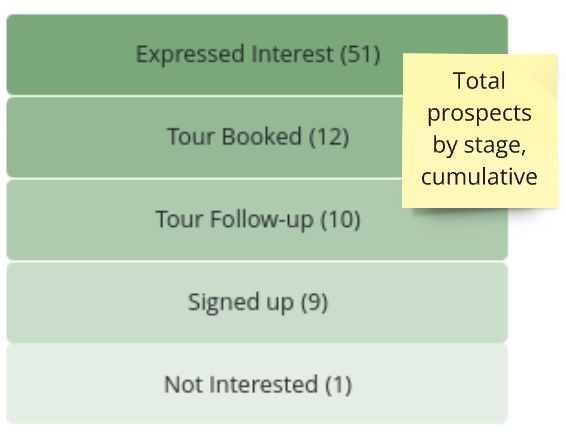
For full details on managing prospects Prospect Funnel.
There are many more graphs and widgets you can display on your dashboard. Learn how to customise your Dashboard.
Common Questions this Covers
- How do I use the GymMaster dashboard
- How do I see who owes money in GymMaster
- How do I find my current members in GymMaster
- How do I view upcoming classes and bookings in GymMaster
- How do I track prospects and leads in GymMaster

 2026 © Treshna Enterprises Ltd.
