
Forgotten Password
2 min read
Updated
6 days ago
Please note: the GymMaster support team cannot update passwords for users.
Staff Passwords
When a staff member forgets their password there are two methods you can use to reset it.
- Use the Forgot Password link at the bottom of the GymMaster login screen. Follow the instructions and a password reset link will be sent to the entered email address. This link will help you set a new password, you can use a previous password.
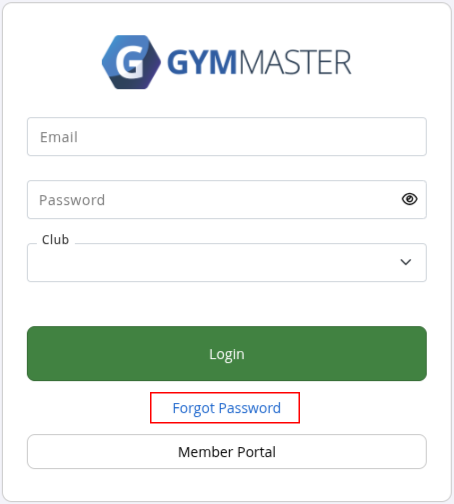
- Have another logged in staff member set you a new password. Second method could only conducted by another staff who has full admin rights to update password.
- Navigate to Settings > User Administration > edit respective staff profile > Security > Set New Password
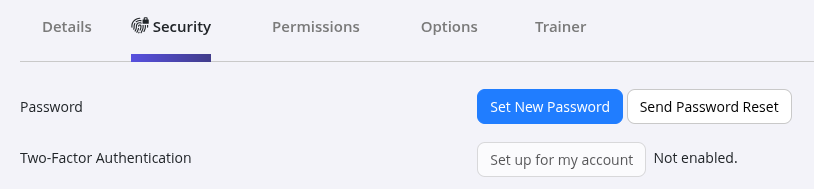
Note: staff will require full admin access rights to change another user’s password.
Member Passwords
Members select a password on signup. This password allows access to both the Member Portal and their Member App.
First-time login?
- Email = the email used during signup
- Password = the password they set at signup
If forgotten, ask them to tap Get My Login or Forgot Password? on the portal / app login screen and follow the prompts.
For more options regarding member login see Member Login Issues.
Common Questions this Covers
- How to reset forgotten password
- Staff forgot password, how can they access their GymMaster account
- Member forgot password, how can they access Member App
Get started with a free, no-obligation chat, and see how we can help you grow

Awards and recognition
- Deloitte Master of Growth Index 2025
- Deloitte Master of Growth Index 2024
- Software Advice FrontRunners 2023
- GetApp Category Leaders 2023
- Capterra Best Value 2022
- GetApp Best Functionality & Features 2022
- Software Advice Most Recommended 2022
- SoftwareSuggest User Most Likely to Recommend Summer 2022
- Software Advice Best Customer Support 2021
- Deloitte Technology Fast 500 Asia Pacific 2018
 2026 © Treshna Enterprises Ltd.
