
GymMaster Login Security
GymMaster provides several security options to help protect your club’s business information and members’ personal data. These settings help you control who can log in, what staff can access, and how access to the system is protected.
These options protect different aspects of your system and can complement one another.
For stronger protection, consider combining appropriate staff permissions, 2FA and secure password practices. IP whitelisting and automatic screen locking can provide additional safeguards where suitable for your club’s setup.
Strong Passwords
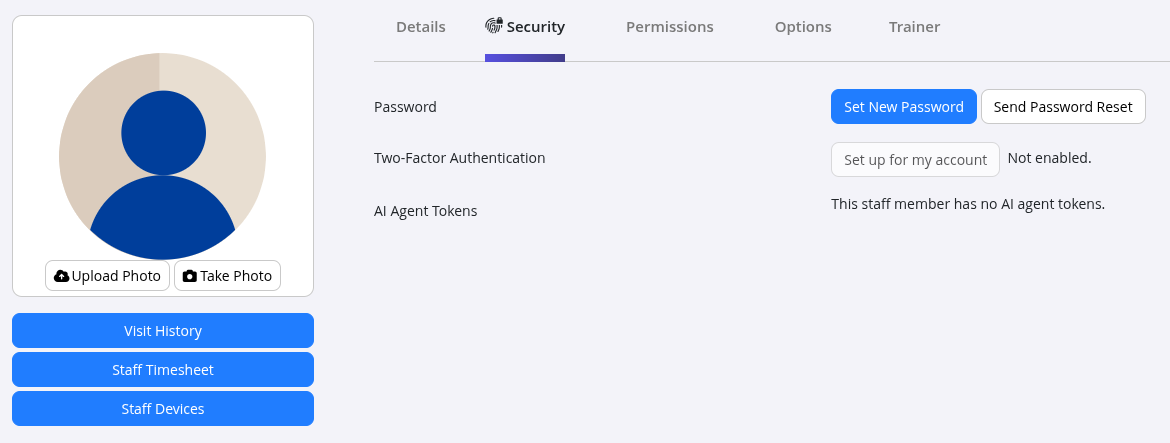
Configured under: User Administration > Staff Account > Security.
GymMaster supports password rules to help protect staff accounts. Depending on the club’s login security settings, requirements can include minimum password length, password complexity and restrictions on reusing recent passwords.
Staff should use unique passwords and keep their login details private.
Two-Factor Authentication (2FA)
Configured under: User Administration > Staff Account > Security.
- Two-factor authentication adds another layer of protection to staff logins. In addition to their password, staff must provide a verification code generated through an authenticator app
- This helps protect accounts if a password is compromised
- GymMaster allows 2FA to be configured for individual staff accounts, and clubs can require staff to set it up before accessing the system
Automatic Screen Locking
Configured under: Settings > Advanced Configuration > Login
GymMaster can automatically lock the system after a period of inactivity. This helps protect member information when staff leave a computer unattended.
Choose an appropriate inactivity period for your club’s workflow. The feature does not apply to the Staff App.
Staff Permissions
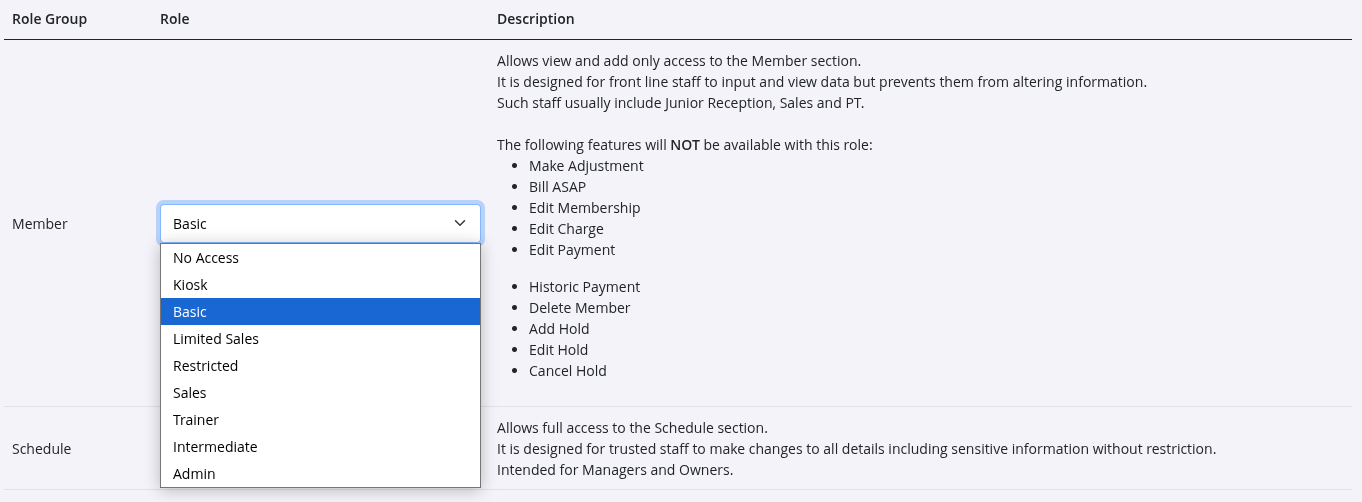
Configured under: User Administration > Staff Account > Permissions.
Control what each staff member can view and do within GymMaster;
- Permissions can be customised to suit staff responsibilities, helping ensure staff only have access to the areas they need
- For example, reception staff may need access to member accounts and bookings, while administrative settings can be restricted to managers
- When setting up permissions, start with the access required for each role and increase it only when needed
Common Questions This Covers
- How can I improve the security of my GymMaster system
- How do I restrict what staff can access
- What is two-factor authentication
- Can GymMaster lock the screen when staff are away
- Which security settings should my club use

 2026 © Treshna Enterprises Ltd.