
SD card corrupted
Troubleshooting Home > SD card corrupted
The SD card in the Gatekeeper is corrupted. Replace it as soon as possible. Usually, the Gatekeeper continues to operate until then.
- GymMaster shows "SD card corrupted".
Important: Do not disconnect the power from the Gatekeeper. If it loses power, possibly it will not start again.
4 steps. Do them in sequence.
-
Step 1
Get a new SD card from GymMaster
Contact GymMaster Support for a new SD card (microSD, 4 GB minimum, with the Gatekeeper software). Our team may contact you about this first.
Do not use your own SD card.
-
Step 2
Replace the SD card
Caution: Disconnect the power before you open the Gatekeeper. Make sure that your hands are clean and dry.
Gatekeeper H5, Gatekeeper H6
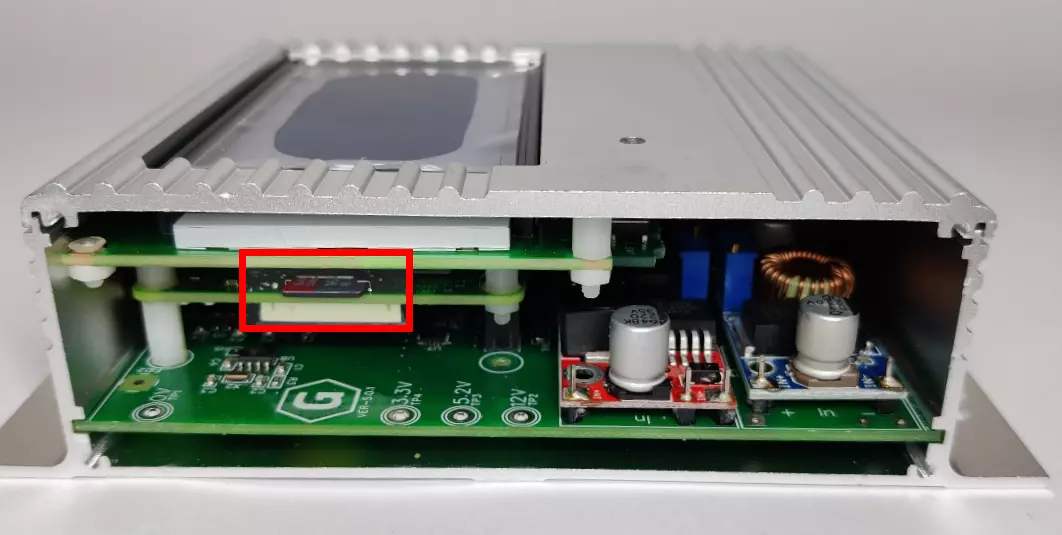
- Disconnect the power.
- Remove the 4 back screws and the back panel.
- Find the SD card on the middle circuit board, below the screen.
- Remove the old SD card and put it in the bin.
- Remove the new SD card from its adapter. Push it fully into the slot.
- Install the back panel with its 4 screws.
Gatekeeper H4
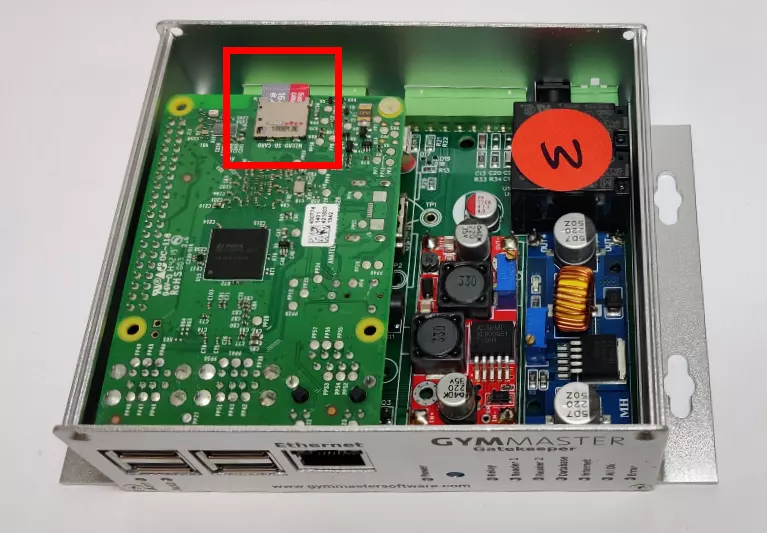
Remove the 4 top screws and the top panel and find the microSD card.
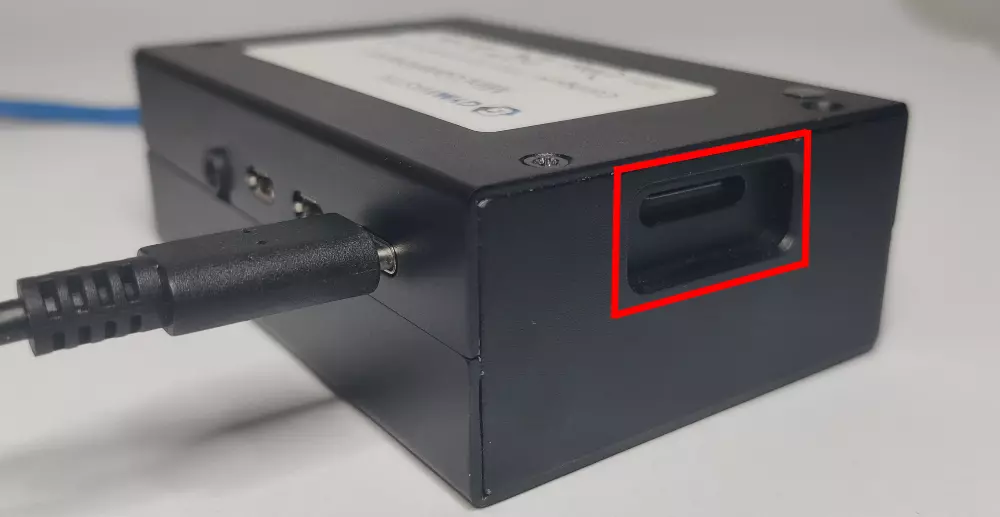
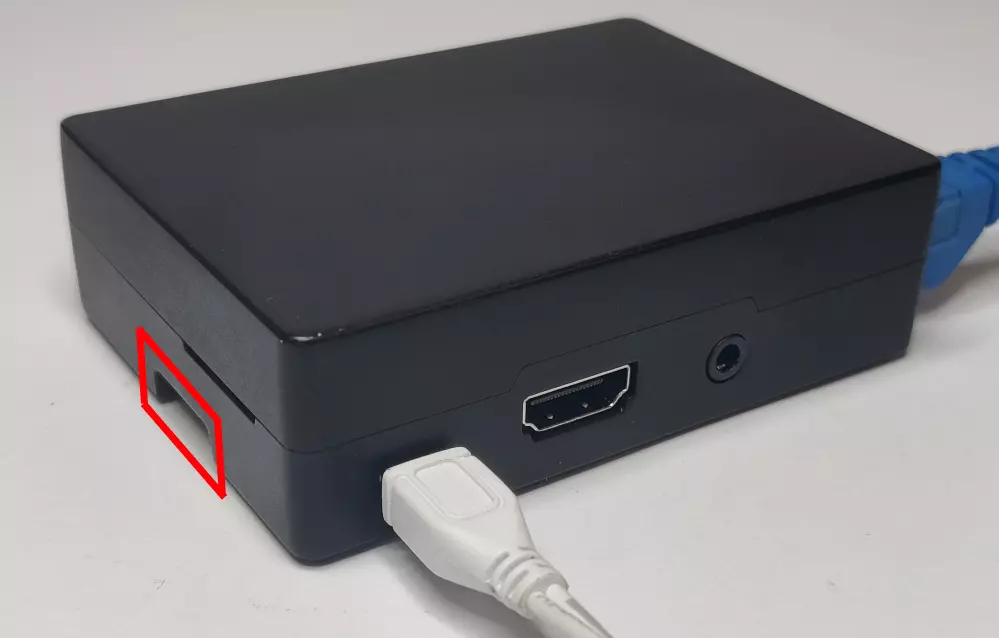
Gatekeeper Mini 4, Gatekeeper Mini 3
Find the SD card slot at the back of the Gatekeeper Mini. See the photos.
-
Step 3
Register the Gatekeeper again
The new SD card starts in test mode. Register the Gatekeeper to use it again.
- Connect the Ethernet cable and the readers. Then connect the power and wait 20 seconds.
- Go to gymmaster.com/registergk and log in.
- Enter the Gatekeeper details and click Submit.
- Gatekeeper H: enter the 5-letter code on the screen (it is case-sensitive) in the Gatekeeper Code/Mac Address input.
- Gatekeeper Mini, Gatekeeper H4: enter the MAC address on the sticker. If your sticker does not have a mac address, please contact GymMaster.
- In GymMaster, go to Settings > Doors & Readers. Edit each door, select the new Gatekeeper, and click Save.
-
Step 4
Prevent corruption in the future
An SD card can become corrupted when the power stops while the Gatekeeper operates. To increase the lifetime of your gatekeeper consider:
- Using an Uninterruptible Power Supply (UPS) for the Gatekeeper.
- Follow the wiring guidelines in our Hardware Documents.

 2026 © Treshna Enterprises Ltd.